
Why Tech Freelancers Need an AI Prompt Library
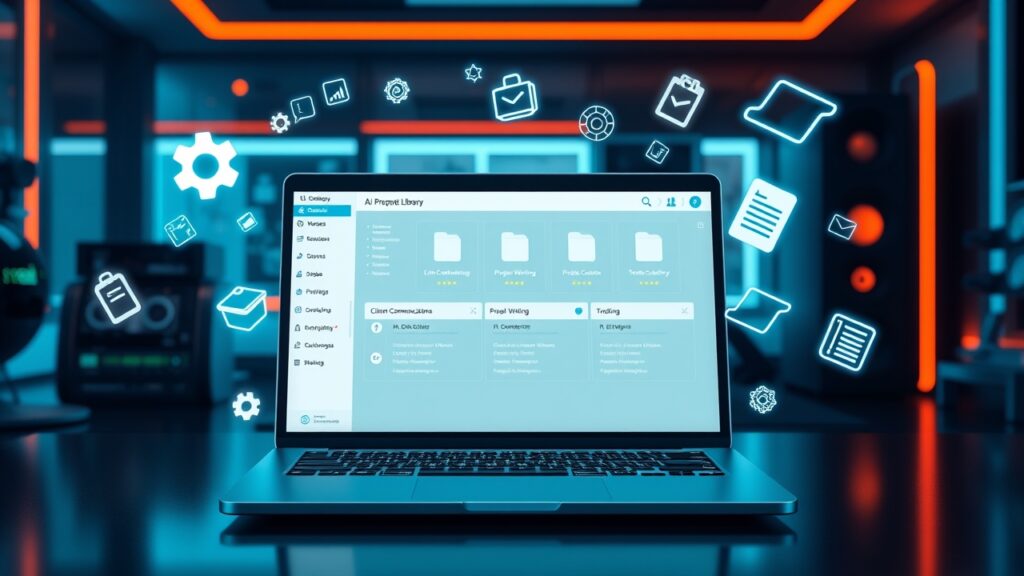
In the fast-paced world of tech freelancing, repetitive tasks like client communications, project proposals, and technical documentation can eat up valuable time. A custom AI prompt library acts as a centralized hub for pre-written, optimized prompts tailored to your niche, reducing the mental load of crafting responses from scratch. By automating routine interactions, freelancers can focus on high-value work, improving efficiency and client satisfaction. Studies show that freelancers who use structured prompt libraries save an average of 10+ hours per week, translating to more billable hours and higher revenue.
Step 1: Identify Your Most Repetitive Tasks
Before building your AI prompt library, audit your workflow to pinpoint the tasks that consume the most time. Common areas include client onboarding emails, project status updates, invoicing reminders, and technical writing drafts. For tech freelancers, these might also involve troubleshooting guides, API documentation snippets, or code review responses. Use tools like Toggl or RescueTime to track time spent on these tasks over a week. Once identified, categorize them into groups such as ‘Client Communications,’ ‘Project Management,’ and ‘Technical Writing’ to streamline organization later.
Step 2: Curate High-Quality Prompts for Each Category
The foundation of your AI prompt library lies in the quality and relevance of the prompts you curate. Start by drafting prompts for each identified task, ensuring they are clear, concise, and aligned with your brand voice. For client communications, include templates for introductions, follow-ups, and feedback requests. For technical writing, compile prompts for explaining complex concepts, writing API docs, or creating code snippets. Use AI tools like ChatGPT, Jasper, or Copy.ai to generate variations and refine your prompts. Test each prompt to ensure it produces consistent, high-quality outputs.
Step 3: Organize Your Prompts for Maximum Efficiency
A well-organized prompt library is useless if it’s difficult to navigate. Structure your library with a logical hierarchy based on your workflow categories. For example, create folders for ‘Client Onboarding,’ ‘Project Updates,’ ‘Technical Docs,’ and ‘Invoicing.’ Within each folder, use subfolders or tags to further categorize prompts by project type, client, or complexity. Tools like Notion, Trello, or dedicated AI prompt managers like PromptBase or AIPRM can help you build a searchable, user-friendly system. Regularly review and update your library to remove outdated prompts and add new ones.
Step 4: Automate Prompt Usage with AI Tools
Automation is the key to unlocking the full potential of your AI prompt library. Integrate your prompts with AI writing tools to generate responses in seconds. For example, use Zapier or Make (formerly Integromat) to connect your prompt library with email clients like Gmail or Outlook, allowing you to paste prompts directly into drafts. For technical writing, tools like GitHub Copilot or Cursor can auto-generate code snippets or documentation based on your prompts. Experiment with AI chatbots that pull prompts from your library to answer client queries in real time. The more seamless the integration, the more time you’ll save.
Step 5: Optimize and Scale Your Prompt Library
Building your prompt library is just the beginning; continuous optimization is essential for long-term success. Track the performance of each prompt by monitoring response quality, client feedback, and time saved. Collect data on which prompts are used most frequently and which yield the best results. Use this data to refine and expand your library, adding prompts for new tasks or updating existing ones based on evolving client needs. As your freelance business grows, consider sharing your prompt library with team members or selling access to other freelancers to monetize your efforts.
Real-World Examples of AI Prompt Libraries in Action
- A web developer uses prompts for client onboarding emails, reducing response time from 30 minutes to 5 minutes. The prompts include placeholders for project details, timelines, and next steps, ensuring consistency across all communications.
- A UX designer leverages prompts for client feedback requests, generating structured questionnaires that save hours of back-and-forth emails. The prompts cover usability issues, design preferences, and project goals, streamlining the feedback process.
- A technical writer automates API documentation using prompts that generate Markdown snippets. By integrating the prompts with GitHub, the writer cuts documentation time by 60%, freeing up time for higher-value writing tasks.
- A freelance consultant uses prompts for project proposals, tailoring each pitch to the client’s industry and needs. The prompts include sections for objectives, deliverables, and pricing, reducing proposal writing time by 40%.
- A data scientist employs prompts for troubleshooting code errors, providing clear, step-by-step solutions to clients. The prompts are stored in a shared library, allowing the team to collaborate efficiently on debugging tasks.
Tools and Platforms to Supercharge Your AI Prompt Library
- Notion or Obsidian: For organizing and storing prompts with advanced search and tagging features.
- PromptBase or AIPRM: Dedicated platforms for managing and sharing AI prompts.
- Zapier or Make: To automate prompt usage across email, project management, and CRM tools.
- ChatGPT, Jasper, or Copy.ai: For generating and refining prompts quickly.
- GitHub Copilot or Cursor: For automating technical writing and code generation.
- Toggl or RescueTime: For tracking time spent on tasks and identifying areas for automation.
- Google Sheets or Airtable: For collaborative prompt libraries with team members or clients.
Common Pitfalls to Avoid When Building Your Prompt Library
- Overloading your library with too many prompts without proper organization, leading to clutter and inefficiency.
- Using vague or overly generic prompts that produce inconsistent or low-quality outputs.
- Failing to update prompts regularly, resulting in outdated or irrelevant responses.
- Ignoring client feedback on prompt-generated responses, missing opportunities for improvement.
- Not testing prompts thoroughly before relying on them, leading to errors or misunderstandings.
- Underestimating the time investment required to build and maintain a high-quality prompt library.
Measuring the Impact: How to Track Time Saved and Productivity Gains
To justify the effort of building your AI prompt library, track its impact on your workflow. Start by logging the time spent on tasks before and after implementing the library. Use spreadsheets or time-tracking tools to compare metrics such as response time, client satisfaction scores, and revenue generated. For example, if you previously spent 2 hours drafting client emails, but now spend 10 minutes using a prompt, you’ve saved 1 hour and 50 minutes per email. Multiply this by the number of emails sent weekly to quantify your time savings. Additionally, gather feedback from clients to assess the quality of prompt-generated responses and identify areas for further optimization.
Future-Proofing Your AI Prompt Library: Trends and Innovations
The landscape of AI and freelancing is constantly evolving, so it’s important to future-proof your prompt library. Stay updated on emerging AI tools and features, such as multimodal prompts that combine text, images, and code. Explore the integration of AI with project management tools like Asana or ClickUp to automate status updates and task assignments. Keep an eye on advancements in AI customization, where prompts can be fine-tuned for specific industries or client types. Additionally, consider adopting AI-powered analytics to gain insights into prompt performance and optimize your library dynamically. By staying ahead of trends, you can ensure your prompt library remains a valuable asset for years to come.