
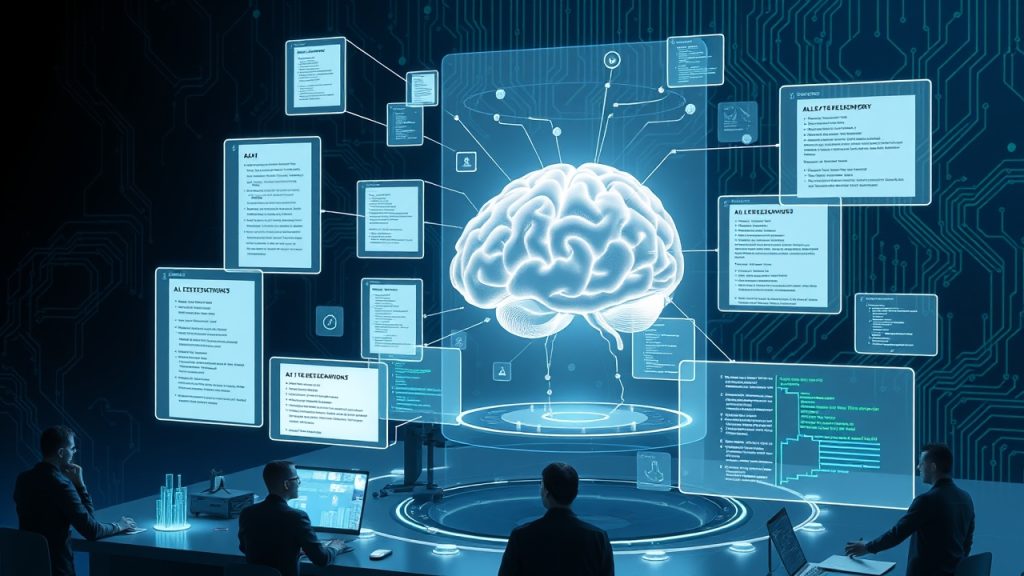
Why Preserving AI Development Insights Matters
In today’s fast-paced AI development landscape, tools like Claude Code, GitHub Copilot, and Codex generate invaluable insights through code snippets, debugging logs, and problem-solving steps. However, these insights often vanish when AI sessions end, leaving teams without a centralized repository of critical decisions. This loss not only slows down future projects but also hinders knowledge transfer among team members. By building a shared AI engineering memory system, organizations can retain institutional knowledge, improve debugging efficiency, and foster collaboration across distributed teams.
- AI sessions generate temporary outputs that disappear, leading to repeated troubleshooting
- Lack of a centralized knowledge base forces engineers to reinvent solutions for previously solved problems
- New team members waste time retracing steps that were already documented by others
- Debugging complex issues becomes more time-consuming without historical AI reasoning records
- Missed opportunities to refine AI prompts and workflows based on past interactions
Core Components of an AI Engineering Memory System
To effectively preserve AI development insights, your memory system should integrate several key components that work together seamlessly. The foundation involves capturing AI outputs in real-time while ensuring they’re stored in a structured, searchable format. This system must also support version control to track changes over time and facilitate team collaboration through shared access. Additionally, the memory system should include mechanisms for tagging, categorizing, and linking related insights to create a comprehensive knowledge network that grows with each project.
- Real-time capture of AI-generated code, explanations, and reasoning
- Structured storage with metadata for easy retrieval and searchability
- Version control integration to track changes and iterations
- Tagging and categorization systems for organizing insights by project, function, or technology
- Search functionality with AI-powered suggestions for quick access
- Collaboration features enabling team-wide access and contributions
- Automated summarization of long AI sessions to highlight key decisions
Step-by-Step Implementation Guide
Building your AI engineering memory system requires careful planning and execution. Start by selecting the right storage solution that balances accessibility with security. Consider implementing a hybrid approach combining cloud storage for immediate access with local backups for sensitive projects. Next, develop or integrate capture mechanisms that automatically document AI interactions without disrupting workflows. This might involve setting up browser extensions, IDE plugins, or custom scripts that intercept and store AI outputs. Finally, establish governance policies to ensure consistent documentation quality and access permissions across your team.
- Choose storage infrastructure: cloud databases, local servers, or hybrid solutions
- Implement capture mechanisms: browser extensions, IDE plugins, or API integrations
- Set up automated tagging systems to categorize insights by project, technology, or issue type
- Create access control policies to manage team permissions and data sensitivity
- Develop search functionality using vector databases or semantic search technologies
- Establish quality standards for documentation and regular review processes
Best Practices for Capturing AI Engineering Insights
Effective knowledge preservation requires more than just technical implementation—it demands a cultural shift in how your team approaches documentation. Start by defining clear standards for what constitutes a valuable AI insight that should be preserved. Train team members to recognize when an AI session contains information worth documenting, such as non-obvious solutions, complex debugging paths, or innovative approaches. Encourage the use of standardized formats for capturing AI reasoning, including the problem statement, attempted solutions, and final resolution. Regularly review and curate the knowledge base to remove outdated information and highlight the most valuable insights.
- Document both successful and failed approaches to provide comprehensive learning material
- Include context about why certain solutions were chosen or rejected
- Attach relevant code snippets, error logs, and screenshots to AI session records
- Use consistent naming conventions and metadata structures across all entries
- Schedule monthly reviews to update and refine the knowledge base
- Encourage team members to contribute even partial insights to build a comprehensive repository
Integrating AI Memory Systems with Development Workflows
The true power of an AI engineering memory system emerges when it becomes seamlessly integrated into your existing development processes. Instead of creating an additional burden, the system should enhance productivity by providing instant access to relevant knowledge at the right moment. This integration can be achieved through IDE plugins that surface relevant past solutions during coding sessions, or through chat interfaces that allow developers to query the knowledge base using natural language. Consider implementing automated triggers that suggest relevant documentation when similar issues are encountered, turning your memory system into a proactive assistant rather than a passive repository.
- IDE plugins that display relevant past solutions during coding sessions
- Slack or Teams integrations for quick knowledge base lookups within team chats
- Browser bookmarklets for instantly saving interesting AI discoveries
- Automated documentation generation from AI sessions using LLMs
- Integration with issue tracking systems to link solutions to specific tickets
- Mobile access for engineers who need to reference insights on-the-go
Overcoming Common Challenges in AI Memory Systems
Implementing an AI engineering memory system comes with several challenges that require thoughtful solutions. Privacy concerns often arise when storing sensitive AI interactions, particularly when using third-party tools. Technical debt can accumulate if the system isn’t properly maintained, leading to outdated or irrelevant information. Additionally, team adoption may be slow without proper training and perceived benefits. Address these challenges by implementing robust security measures, establishing clear maintenance protocols, and demonstrating quick wins that encourage team buy-in. Regularly gather feedback from users to refine the system based on actual workflow needs.
- Implement end-to-end encryption for sensitive AI interactions
- Establish automated cleanup processes to prevent knowledge base bloat
- Create onboarding materials and training sessions for new team members
- Design intuitive interfaces that require minimal additional effort to use
- Set up feedback channels to continuously improve the system based on user input
- Monitor usage metrics to identify and address adoption barriers
Measuring the Impact of Your AI Engineering Memory System
To justify the investment in your AI memory system, establish clear metrics that demonstrate its value to the organization. Track quantifiable improvements such as reduced time-to-resolution for common issues, decreased duplication of work across teams, and faster onboarding for new engineers. Qualitative measures might include improved team satisfaction scores related to knowledge sharing and increased confidence in AI-assisted development. Regularly review these metrics with stakeholders to refine the system and secure ongoing support. Consider implementing a dashboard that visualizes these metrics in real-time to keep the team motivated and aware of the system’s benefits.
- Track time saved by referencing past solutions instead of reinventing the wheel
- Measure reduction in duplicate debugging efforts across teams
- Monitor team adoption rates and active contribution levels
- Survey team members on their perceived value of the memory system
- Calculate ROI based on reduced development time and improved code quality
- Compare incident resolution times before and after system implementation
Future-Proofing Your AI Memory System
As AI technologies evolve, your memory system must adapt to accommodate new types of insights and integration points. Plan for scalability by designing modular components that can be upgraded independently. Stay informed about emerging AI documentation tools and standards to ensure compatibility. Consider implementing machine learning models that can automatically identify and highlight the most valuable insights within your knowledge base. The system should also be prepared to handle future AI tools that might generate different types of outputs or require new capture methods. Regularly reassess your infrastructure and processes to ensure they remain aligned with your team’s evolving needs.
- Design modular architecture to allow independent component upgrades
- Stay updated with AI documentation standards and best practices
- Implement automated quality scoring for stored insights
- Plan for integration with future AI development tools and platforms
- Regularly review and optimize storage and retrieval performance
- Establish partnerships with AI tool vendors for better integration capabilities